Telemetry
Monitor & Manage your PDM remotely
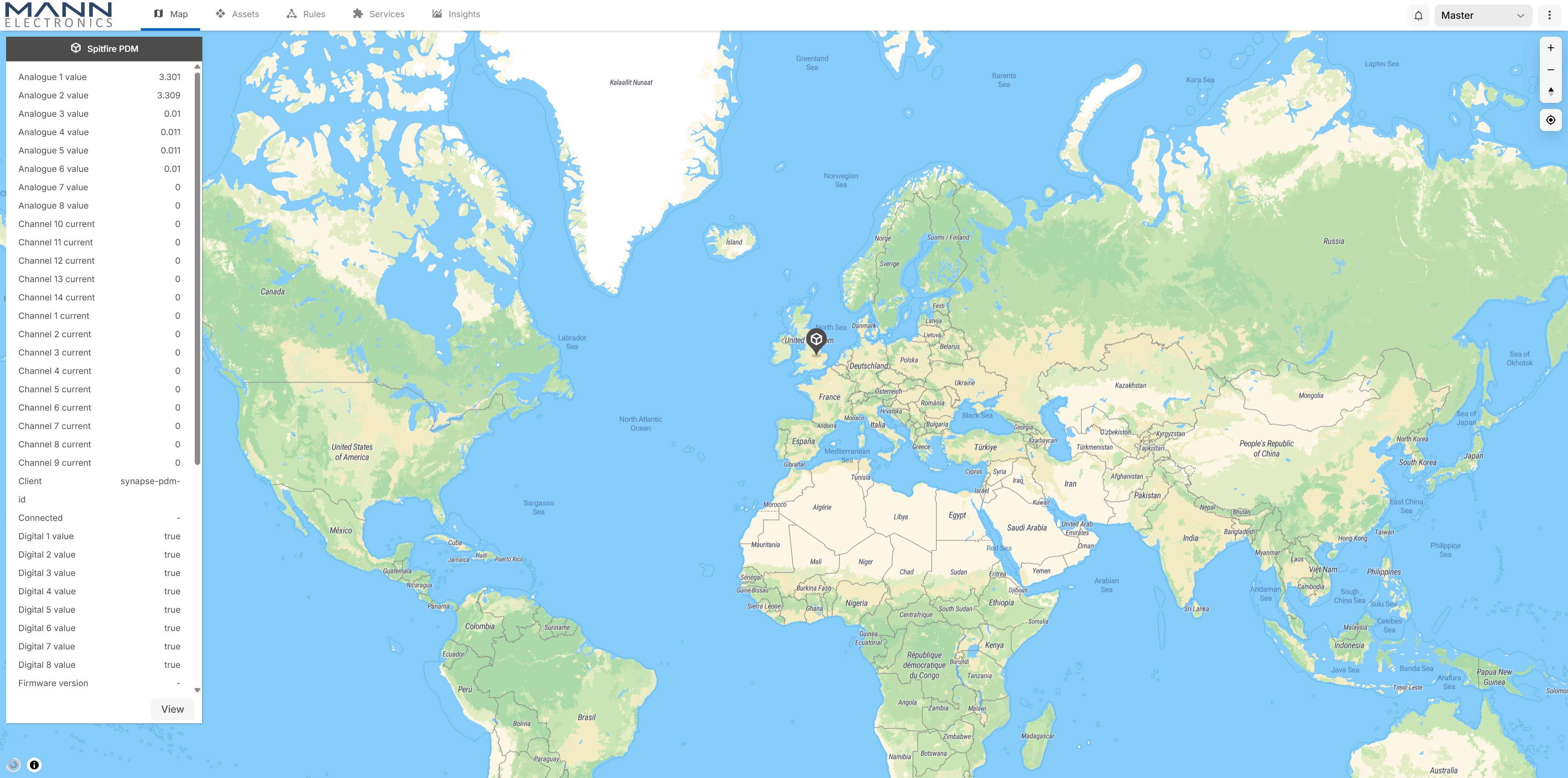
Features
- Channel current, analogue inputs, digital inputs, IMU, GPS and system data all supported
- Built-in cellular telemetry with cloud-based monitoring, dashboards, alerts and device management through the Mann Electronics service
- Create custom rules, notifications and geofences
- Create custom dashboards to visualise your PDM data
- Manage multiple PDMs from a single login with your own dedicated realm
Provisioning process
The provisioning process makes adding a PDM to the telemetry service quick and straightforward, with most of the configuration handled automatically. Simply follow the steps below to complete the process.
This process assumes you have an active telemetry subscription. PDM purchases include one year of free telemetry access, which is activated when you first register your PDM.
<mxfile host="embed.diagrams.net"><diagram id="njVTqhWq0BI9gcwqO6J4" name="Page-1">7ZldU+IwFIZ/DZfu9IOWcrnysTqDjoqzq3sX6aGNpjlMGr789ZuElLYD7qwKqMzeQM+bkzR5T580YsPvZIsfgkzSC4yBNTwnXjT8bsPzPCdoqi+tLFeK6/qtlZIIGlutFIb0GazoWHVKY8hriRKRSTqpiyPkHEayphEhcF5PGyOr33VCEtgQhiPCNtVfNJbpSo28VqmfAU3S4s5u2F61ZKRItivJUxLjvCL5vYbfEYhydZUtOsC0e4Uvq379F1rXExPA5T91ID97z/I88c6bM+ped6/h9ObEThbiDRfKYa2U41SMbJZnJbksfNIjDG2IQqaYICesV6qnAqc8Bj0ZR0VlzgBxokRXiY8g5dI+A2QqUUmpzJhthQWVd5Xrez3Ut8BG3YUd2QTLIuBSLO+qQaWXDstuJir6jZFLOxG3aeM+ySjTCbckxYwo1T6PRCRgvfLXhVVIAGagBlUpAhiRdFb3mNhHM1nnldVTF7aA24vpvVymsiZ1x+cplTCcEFPDucK17m6uWihPBjDW4wWlcmOfbi2NKWMdZCjMDfw4gCjW9uRS4BNUWiLvwQ/DVxo5I2xaWPRNxec8l8Qse3h+oRknIraZICQsKuvetDytUNmyCM5Lgt2m1ewovg3tPhU576/RVuCKfe21xPn/idtOXHAg4vwjJ87TxHXsW1S/ZNXHVVdjN6PENBnkdoZfWMNPCTvn7zJokUG37z0OhoMMr36P789uT1z3bfwFH8HfW5nYvnJno+YHQic4cnR8jU6PSxD63IcPVK1JLVfgTJ1dtfb96lKfgUESyvKdIRR49TdYOzoMQsHbCNo6VvjlsYo+iqq/+Xm0qDWrqAkgLGt4yilnmoPgJNPcER4bB/J8jvq8qNJGoIzXl2OBqoNzQTjX4zD1rhPI6WhvULZaB4KytUMooy8PZftTQRkdOZSBhvIGEpqvuDTHxpBketL8IZ+YPooSBYmqXaohVbjOqFrcnrBrhwfCrn3kpQ3NXwUpjJ4a69/YKHKzPiKne9s3XTc4UAVdb4c7Z3HG/sJbZ/ipts7C0KMFzBxo+tQ4gVNpjNUbqSCWszGKbF+UBdG7IVNh+RO2aav8J8Dv/QE=</diagram></mxfile>
1. Install SIM card
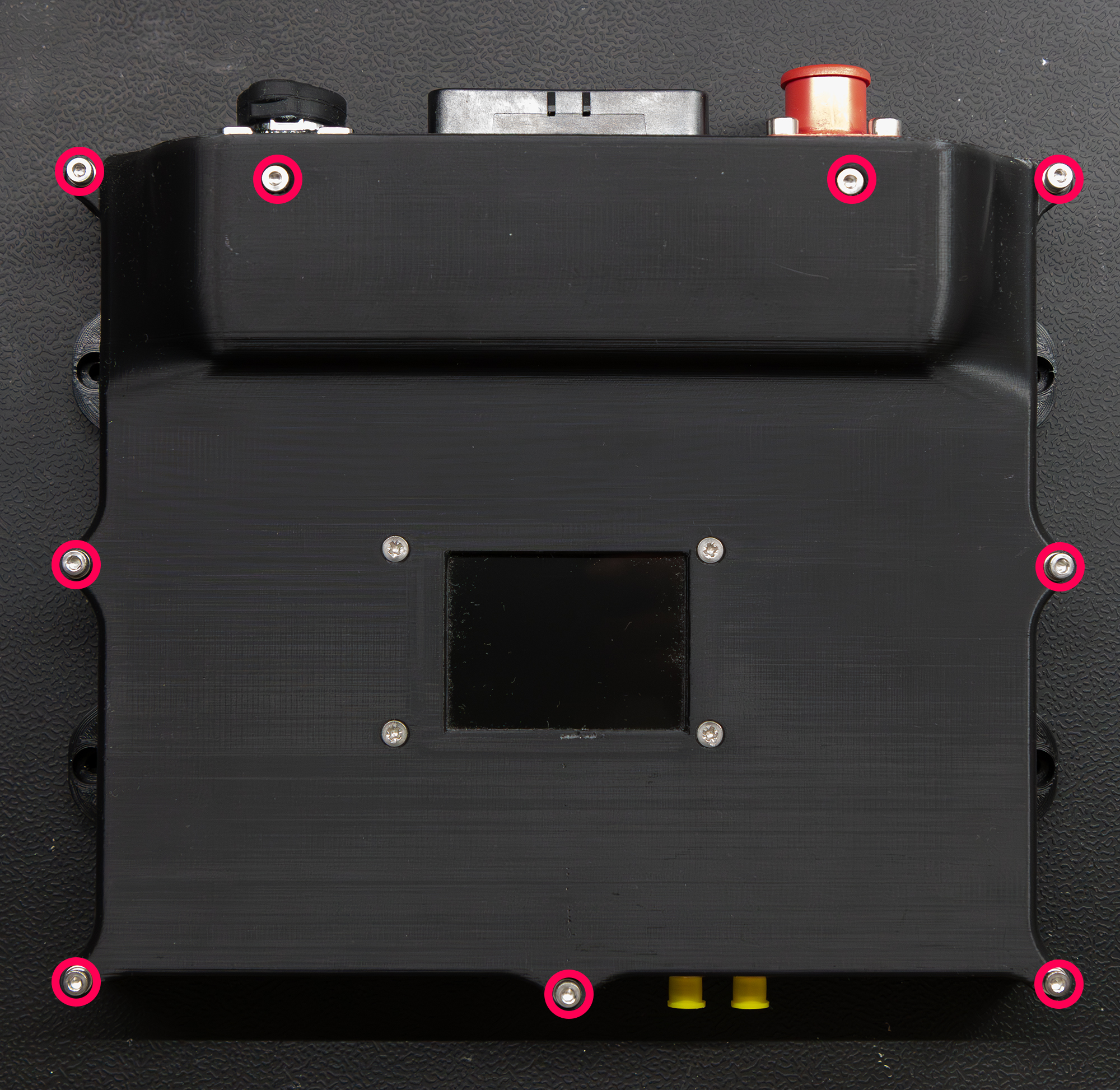
- Using a 2.5mm allen key, remove the nine screws that secure the top cover
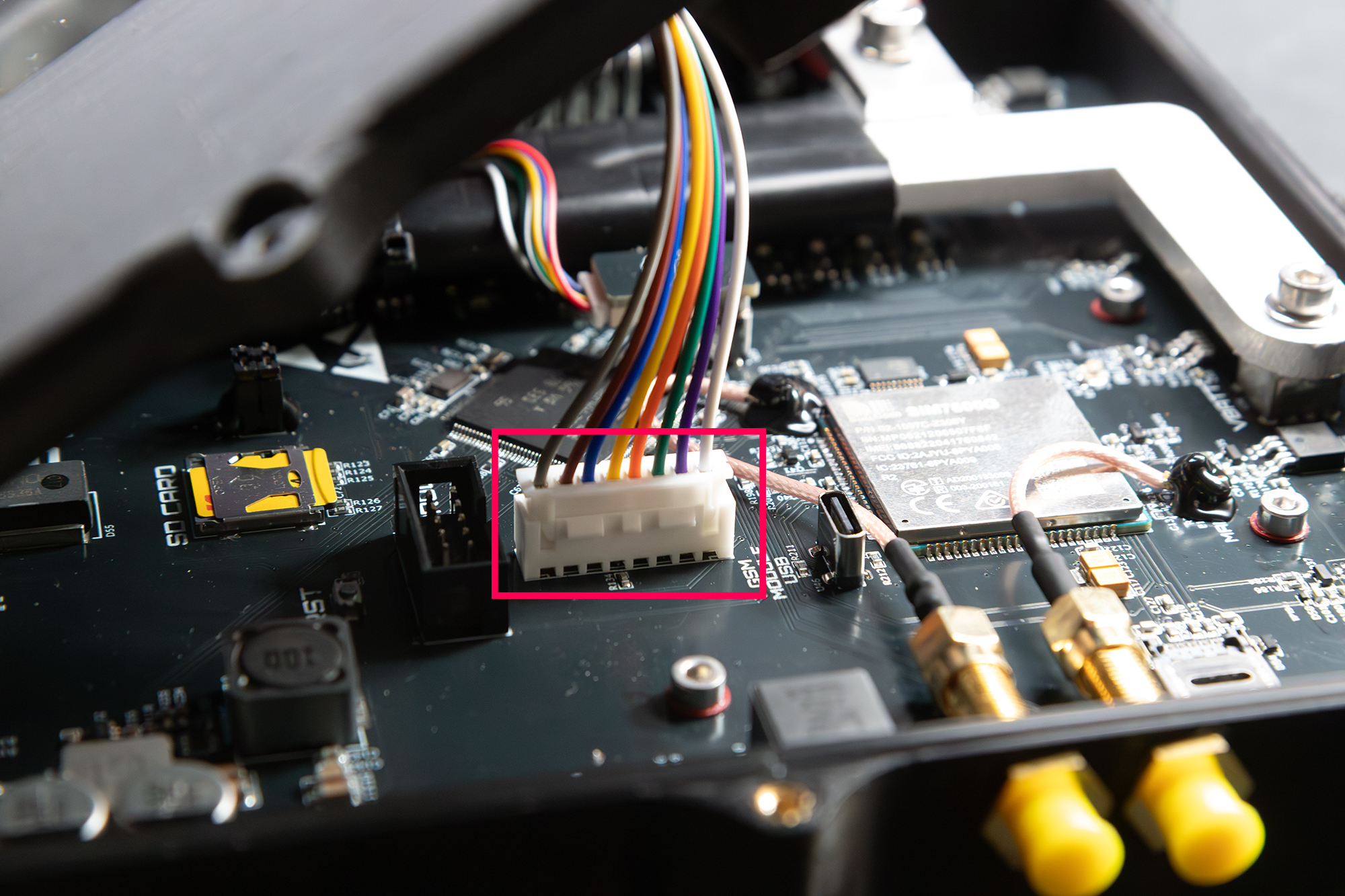
- Disconnect the display from the main board
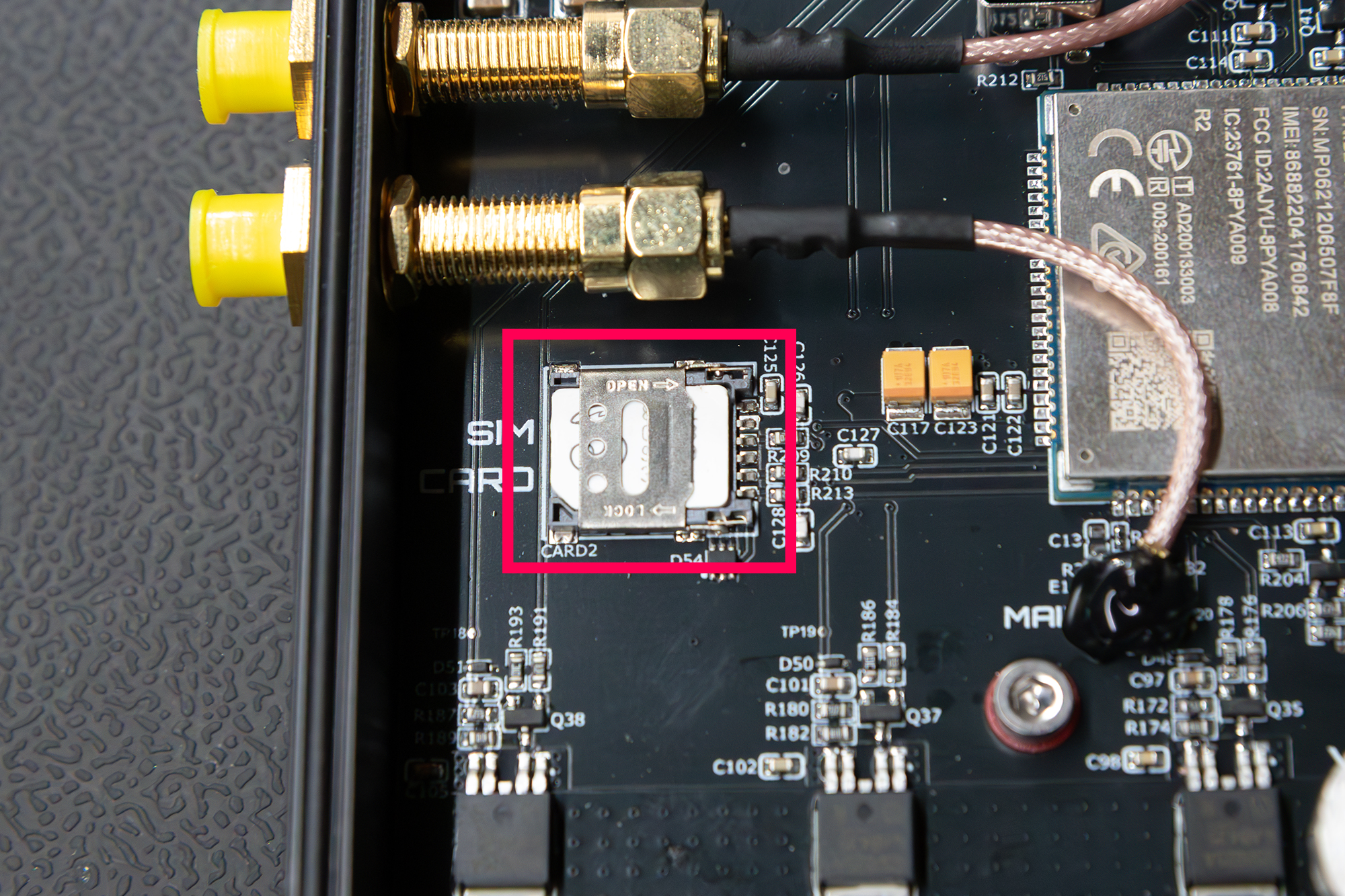
- Slide the SIM card slot open and insert the SIM card
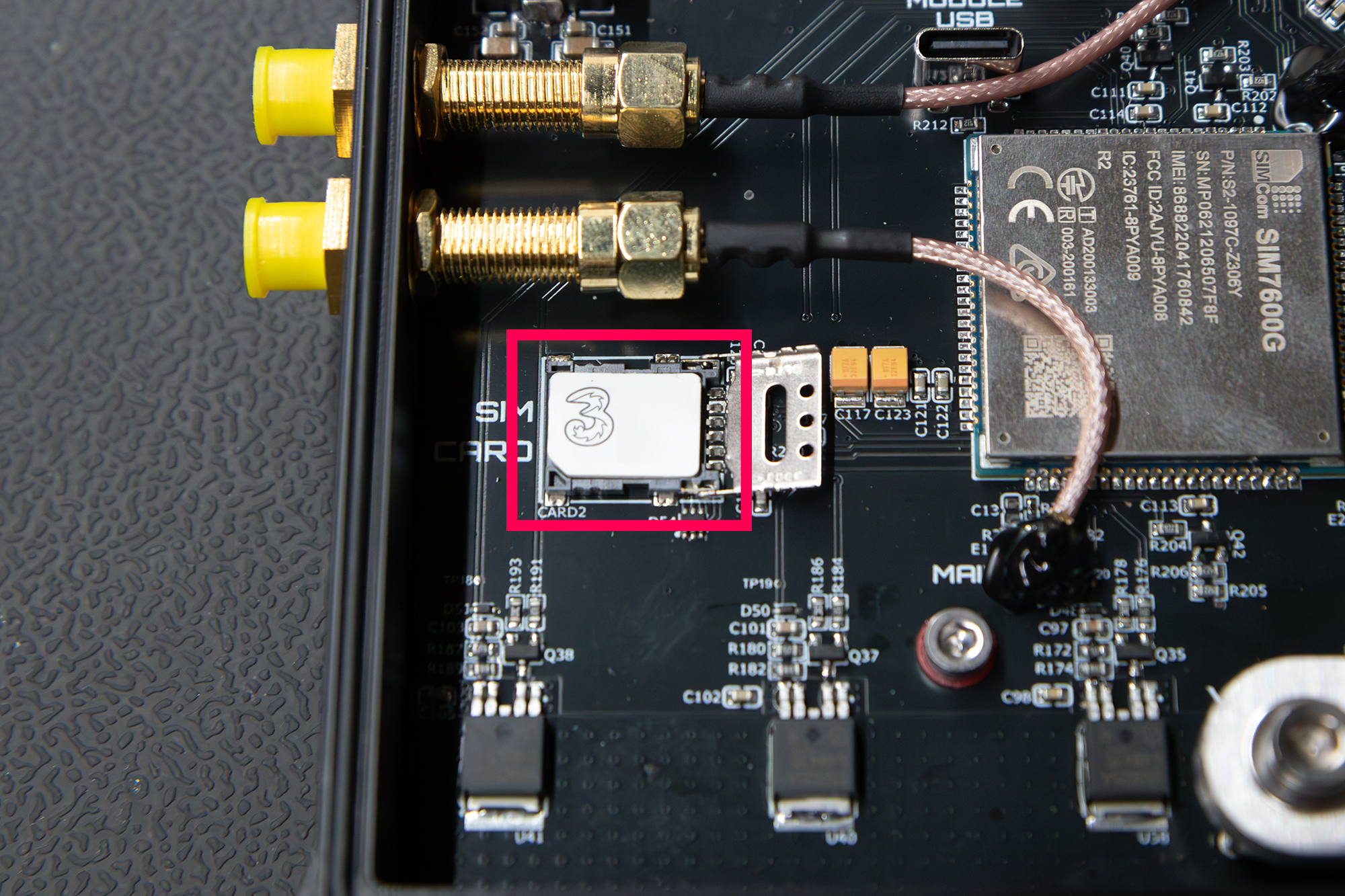
- Push the lid closed and slide it into the locked position
- Re-connect the display to the main board
- Install the top cover and tighten all the screws
2. Connect to PDM via Cortex
- Power the PDM on
- Connect the USB cable
- Open Cortex
- Select the COM port for the PDM
- Click connect
3. Enter mobile provider APN details
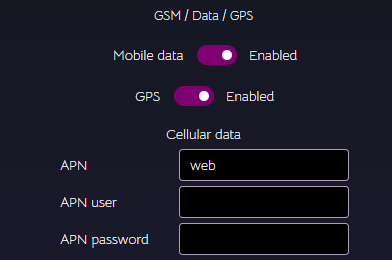
- In Cortex, go to settings
- Go to System
- Enter the APN
- Enter the APN user
- Enter the APN password
- Click save to update the PDM
Some providers don't require all fields
4. Fill out registration form
- Visit the telemetry request page at Mann Electronics.
- Fill in the form
- Click submit
If you have an active license or have bought a PDM within the last year, you will be sent new login details from Mann Electronics.
5. Enter realm, username and password for the telemetry service
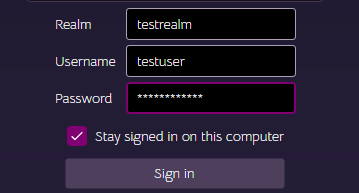
- Enter the realm, username and password
- Click login
- Cortex will check the registration status of your PDM
- If it hasn't been registered, give it a name and click register
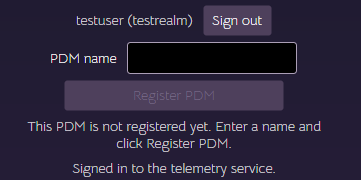
6. Check connection status
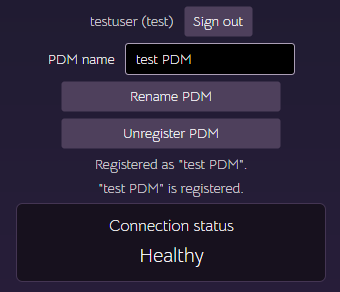
Once the PDM has been registered with the service, an automated test will occur and show the connection status. This is updated periodically while the PDM is connected to Cortex.
Uploading telemetry
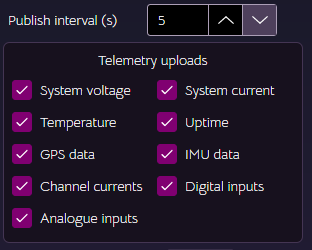
Once the PDM is registered with the service, the selected attributes will be uploaded at the publish interval.
The publish interval operates on a best-effort basis, queuing the selected attributes for transmission. The frequency at which telemetry is updated on the portal may be affected by factors such as mobile network coverage, signal strength, and internet service availability. Selecting fewer attributes reduces the amount of data being transmitted and increases the likelihood of achieving the configured publish interval.
Unregistering
If you want to sell the PDM or no longer want to use the service, click the unregister button. This will unlink the PDM from the service and remove it from the portal. A new user can then purchase a license and register the PDM in their own realm/portal.
Support
Licensed users can contact Mann Electronics for PDM support. Visit support.